The panel compares a game or subscription price across 16 regions at once, but a few of its elements aren’t obvious at a glance - especially the savings tags and the card at the top. Here’s what each part actually means, so you’re not reading the panel by guesswork.
The “best price” card at the top
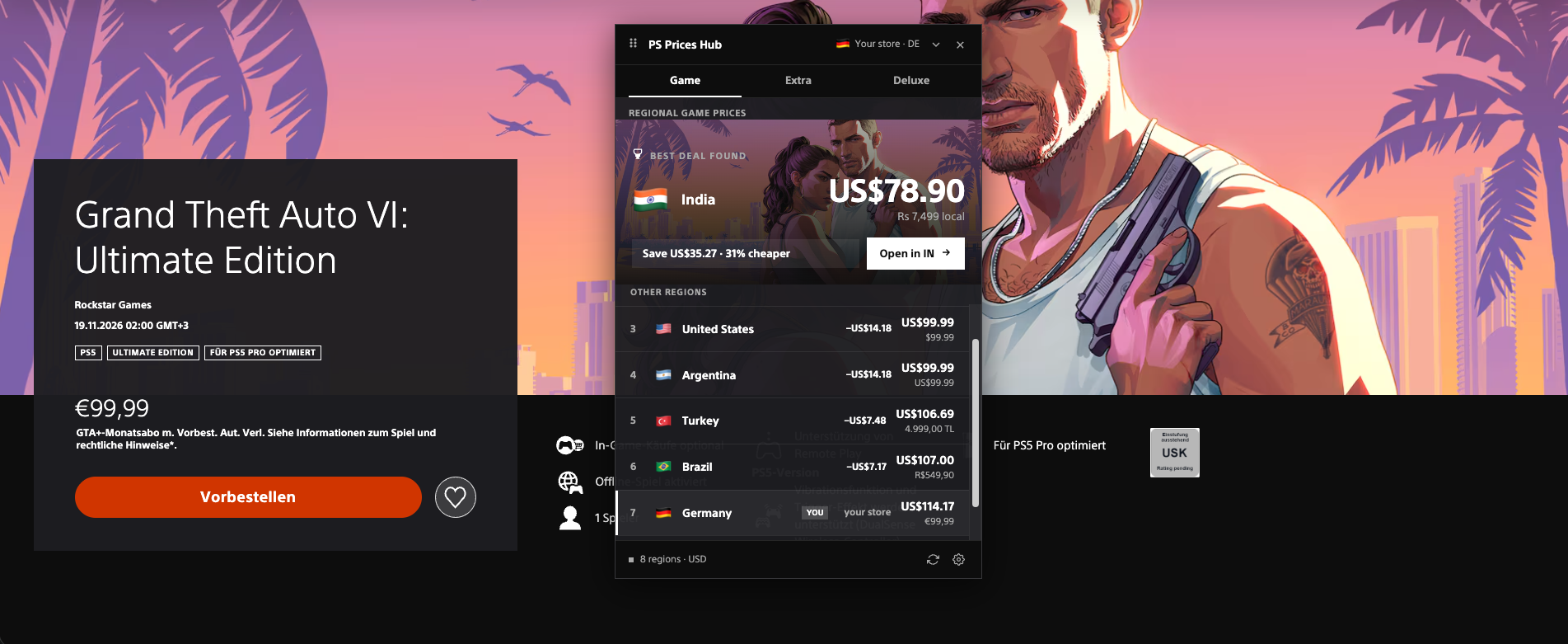
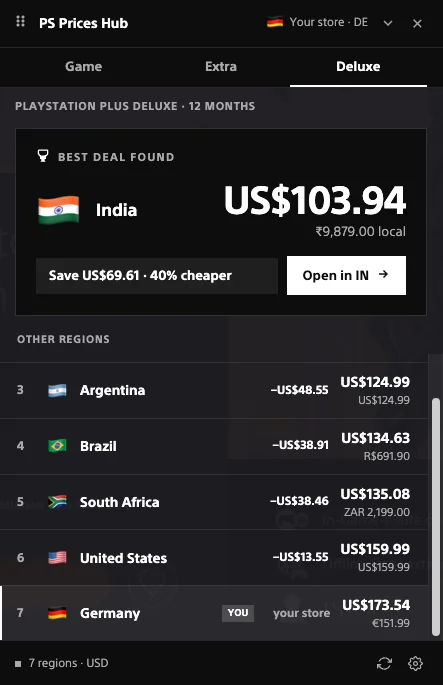
The first thing you see on the panel is a large card with a trophy icon and a price. That’s not a random region - it’s the result of a sort: the panel converts the price in every available region into your currency and picks the region with the lowest total. Payment processor fees or taxes aren’t part of that calculation - it’s purely the price the store shows in that region, converted at the current rate.
Below the price sits one of two tags: a “Save $X” button with a percentage if a cheaper region exists, or an “In cheapest region” tag if your own region is already the cheapest one - in that case the card just confirms it rather than suggesting a switch.
What the rows below the card mean
Below the card is a row-by-row list of every region with its price. Each row shows:
- Flag and region name - for orientation, independent of the store’s interface language.
- A “YOU” badge - marks the region currently set on your PSN account.
- A savings cell - a green ”−$X” if that region is cheaper than yours, a red ”+$X” if it’s pricier, and a dash if there’s nothing to compare (for example, the title isn’t available in one of the two regions).
- Price in two currencies - the amount in your currency, with the local-currency price shown smaller next to it, exactly as the store itself lists it.
Your own region’s row has a thin white accent border on the left, so it’s easy to spot in a long list without reading every badge.
Why some regions show up greyed out
If a game or a PS Plus tier isn’t available in a given region - PS Plus isn’t sold in Ukraine, for instance - the row turns grey, the rank is replaced with a dot, and the price cell shows “N/A.” That’s not a panel error, it’s a real store restriction: a purchase in that region simply isn’t possible, so switching there for the price doesn’t help.
There’s a separate case worth knowing about: a note that exchange rates aren’t perfectly current. The panel caches currency rates for 12 hours and falls back to the last saved values instead of erroring out if the network request fails - the difference is usually a fraction of a percent, but for a large purchase it’s worth double-checking the live price in the store right before paying.
Why 16 regions if fewer show by default
The PS Prices Hub panel shows the 8 most commonly used regions by default, with the remaining 8 available as opt-ins in the extension’s settings - kept that way so the list isn’t longer than most people need. If you’re looking for a specific region and don’t see it on the panel, check whether it’s enabled in settings before assuming there’s no comparison for it.
If the price gap turns out to be worth acting on and you’re weighing whether to switch your account’s region, read up on the risks and the right order of steps for changing your PSN region before touching anything in your account settings.